Choosing the right home theater screen size can make or break your viewing experience. Too small, and you’ll be squinting at dialogue and missing visual details: too large, and you’re craning your neck constantly. The good news is that selecting a screen size isn’t mysterious, it comes down to your room dimensions, seating arrangement, and viewing preferences. This guide walks you through the measurements, calculations, and practical factors that’ll help you land on the perfect size for your setup, whether you’re building your first theater or upgrading an existing one.
Table of Contents
ToggleKey Takeaways
- Home theater screen sizes should follow the 1.5 to 2.5 times seating distance formula—for example, an 80-inch screen works best when seated 10 to 16 feet away.
- Measure your room dimensions and test screen size layouts with painters’ tape before purchasing to avoid costly mistakes and ensure the perfect fit.
- Standard screen sizes (50 to 150 inches) are cheaper and faster to deliver than custom options, with 16:9 aspect ratio being the universal choice for modern home theaters.
- Projector throw distance is critical—check your projector’s throw ratio specifications to ensure proper mounting; short-throw projectors offer flexibility if space is limited.
- Quality screen materials matter: white screens are affordable, gray screens reduce hotspotting in bright rooms, and sound-transparent materials work well behind speakers.
- Professional installation ($500–$2,000) is recommended for complex setups, but DIY mounting is feasible for straightforward walls or ceilings if you’re comfortable with basic carpentry.
Understanding Screen Size Measurements and Specifications
Screen sizes are measured diagonally in inches, just like TV screens, a 60-inch display means the distance from the bottom-left corner to the top-right corner is 60 inches. That’s the only standard measurement you’ll see listed. The actual width and height depend on the aspect ratio (we’ll cover that soon), so don’t assume physical dimensions without checking specs.
When comparing screens, you’ll encounter native resolution (1080p, 2K, 4K) and gain ratings (typically 1.0 to 1.5 for projection screens). Gain refers to how much light the screen reflects back to the viewer, higher gain means brighter images but can cause hotspotting (a bright spot in the center). A 1.0 gain is neutral and ideal for darker rooms or cinematic accuracy.
Manufacturers also list throw distance, which is how far a projector must sit from the screen to fill the entire display. This measurement is critical when positioning your projector. Most projectors have a throw ratio (like 1.5:1), meaning if you need a 100-inch screen, your projector must be about 150 inches away. Check your specific projector’s specs before committing to a screen size, or you might end up with mounting problems.
Optimal Viewing Distance and Room Layout Considerations
The golden rule for home theater is simple: your seating distance should be 1.5 to 2.5 times the screen’s diagonal measurement. A 80-inch screen works best when seated 10 to 16 feet away. Closer than 1.5x and you’ll see individual pixels or scan lines: farther than 2.5x and the image feels small and loses impact.
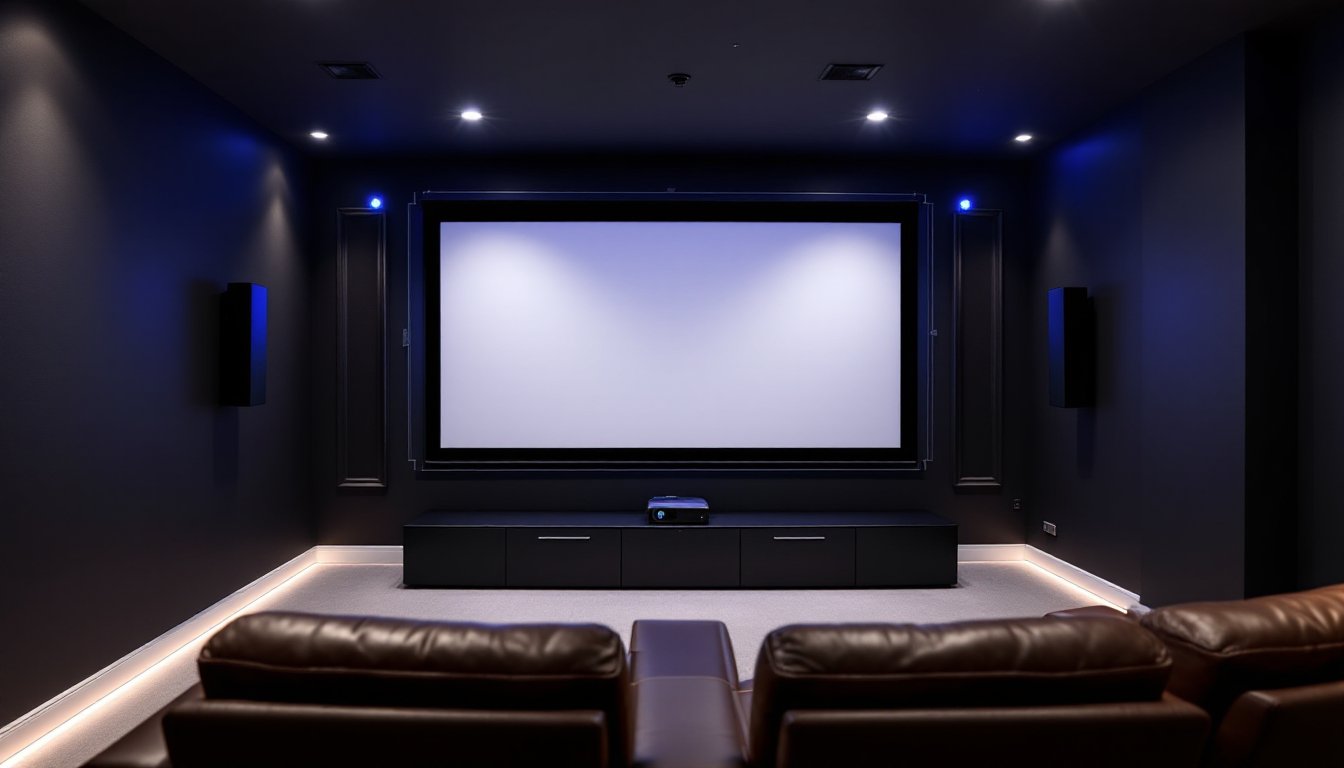
Room shape and layout matter just as much as distance. Dedicated home theaters, rooms designed specifically for movie watching, let you control light, optimize seating angles, and position the screen at eye level when seated. Multi-purpose rooms (like a finished basement that’s also a guest bedroom) often require compromises. You might need a smaller screen to avoid glare from windows or to keep the display from dominating the space visually.
Wall space is another real constraint. A recessed wall pocket can house a screen cleanly, but you’ll need structural support and clearance for the projector. Wall-mounted screens take up visual real estate even when retracted. Factor in acoustic panels, side speakers, and storage, these elements eat into available wall space fast.
Calculating the Right Screen Size for Your Room
Here’s a straightforward method: measure the distance from your main seating position to the wall where you’ll mount the screen. Let’s say it’s 14 feet (168 inches). Divide by 2 for the upper limit and by 1.5 for the lower limit. That gives you a range of 67 to 112 inches. A 90-inch screen sits comfortably in the middle and maximizes the viewing experience without overwhelming the room.
If space is tight, use the lower end of that range. If you’re building a dedicated theater with plenty of room, push toward the higher end. Test the layout with painters’ tape or kraft paper taped to the wall, see how a screen outline actually looks before ordering anything. This simple step prevents expensive mistakes.
Popular Screen Sizes for Home Theater Installations
Common screen sizes break down into a few practical ranges:
Small rooms (80–120 square feet, seating 8–10 feet away): 50 to 70-inch screens dominate. They’re easier to mount in apartments or converted bedrooms where wall space and throw distance are limited. A 60-inch screen is the sweet spot here, big enough to feel immersive without overwhelming the room.
Medium rooms (150–250 square feet, seating 10–14 feet away): 80 to 100-inch screens are the most popular choice. This range hits the ideal balance between cost, visual comfort, and room proportions. An 85-inch screen is arguably the most versatile size for standard home theaters.
Large dedicated theaters (300+ square feet, seating 14+ feet away): 120 to 150-inch screens become feasible and actually desirable. These require careful planning, projector placement, acoustic treatment, and cooling (larger spaces with more equipment generate heat). Installation complexity and costs climb significantly at this scale, and you may need to hire professionals for mounting and alignment.
Consider that commercially available screens come in standard sizes (50, 55, 60, 65, 70, 75, 80, 85, 90, 100, 110, 120 inches and beyond). Custom sizes exist but cost more and take longer to deliver. Sticking with standard sizes saves money and reduces lead time.
Aspect Ratios and Content Compatibility
Aspect ratio is the relationship between width and height. The most common home theater ratio is 16:9 (widescreen), which matches modern streaming content, Blu-rays, and cable TV. A 100-inch 16:9 screen is about 87 inches wide and 49 inches tall.
2.35:1 or 2.40:1 (cinema scope) is wider and shorter, mimicking theatrical releases. Movies filmed in this ratio look stunning on a 2.35:1 screen but leave black bars on a 16:9 display. If you watch a lot of classic or modern action films, the cinema ratio is worth considering, but it’s less common for home use and costs more.
4:3 (standard definition) is outdated and not recommended for new installations unless you’re specifically preserving old content.
The practical takeaway: 16:9 is the universal choice for modern home theaters. It accommodates 95% of current content without black bars or stretching. If cinema is your passion and you have the budget and space, explore cinema-scope screens, but be aware they’re niche and less versatile.
Budget and Installation Factors
Projector screens range from $200 to $5,000+ depending on size, materials, and features. A quality 100-inch motorized 16:9 screen typically costs $800 to $2,000. Motorized screens add convenience, just press a button to raise or lower, but fixed screens are cheaper and reliable if you’re not raising/lowering constantly.
Material quality affects performance. White screens (like vinyl or polyester) are affordable and versatile. Gray screens are better in rooms with ambient light because they reduce hotspotting and maintain contrast. PVC or velvet-backed materials improve sound transparency if you’re placing a speaker behind the screen.
Installation costs depend on your setup. A DIY ceiling or wall mount might run $50 to $200 in hardware (brackets, fasteners, anchors). Wall studs or ceiling joists, not drywall alone, must support the screen’s weight. projector screen sizes explained in professional guides often emphasize the importance of solid mounting.
Throw distance determines where your projector sits. If you can’t physically position a projector the required distance away, you’ll need a short-throw projector (they cost more). Measure twice, plan the electrical outlet location, and ensure cooling air can flow freely around the projector, they generate heat and need ventilation.
Home theater projectors and their screen size requirements show that professional installation runs $500 to $2,000 depending on complexity. For simple wall or ceiling mounts in straightforward rooms, DIY is reasonable if you’re comfortable with basic carpentry and electrical safety. If your room has unusual geometry, load-bearing concerns, or requires in-wall wiring, hire a professional.
Conclusion
The perfect screen size balances your room’s dimensions, viewing distance, and content preferences. Start with the 1.5x to 2.5x seating distance formula, measure your available wall space, and test layouts with tape before buying. Standard sizes are cheaper and faster to ship, and 16:9 aspect ratio covers nearly all modern content. Whether you’re installing a 65-inch screen in a cozy bedroom or a 120-inch display in a dedicated theater, honest planning prevents regret and keeps your project on budget.