A home theater preamp is the control center of your audio system, managing signals from all your devices and sending them to amplifiers and speakers. If you’re building or upgrading a home theater, understanding what a preamp does and how to choose one can mean the difference between a muddy, frustrating listening experience and one that brings your movies and music to life. This guide walks you through the essentials, from what features actually matter to how to set one up without hiring an installer.
Table of Contents
ToggleKey Takeaways
- A home theater preamp acts as the control center for your audio system, switching between source devices and amplifying signals to line level before they reach your power amplifiers or speakers.
- Essential features to prioritize in a home theater preamp include multiple HDMI inputs (3–5 minimum), HDCP 2.2 support for 4K content, and room correction technology like Audyssey or Dirac Live to optimize sound for your actual space.
- Mid-range preamps ($700–$1,500) offer the best value for DIY home theater builds, providing full HDMI 2.1 support, robust room correction, and reliable performance from trusted brands like Denon, Yamaha, and Onkyo.
- Proper setup of your preamp requires connecting source devices to HDMI inputs, power amplifiers to RCA or XLR outputs, and running the calibration microphone at ear level for 5–10 minutes to tune your room acoustics.
- A standalone home theater preamp gives you cleaner signal paths and superior sound quality compared to an integrated AV receiver, especially if you’re already investing in quality amplifiers and speakers.
What Is a Home Theater Preamp and Why You Need One
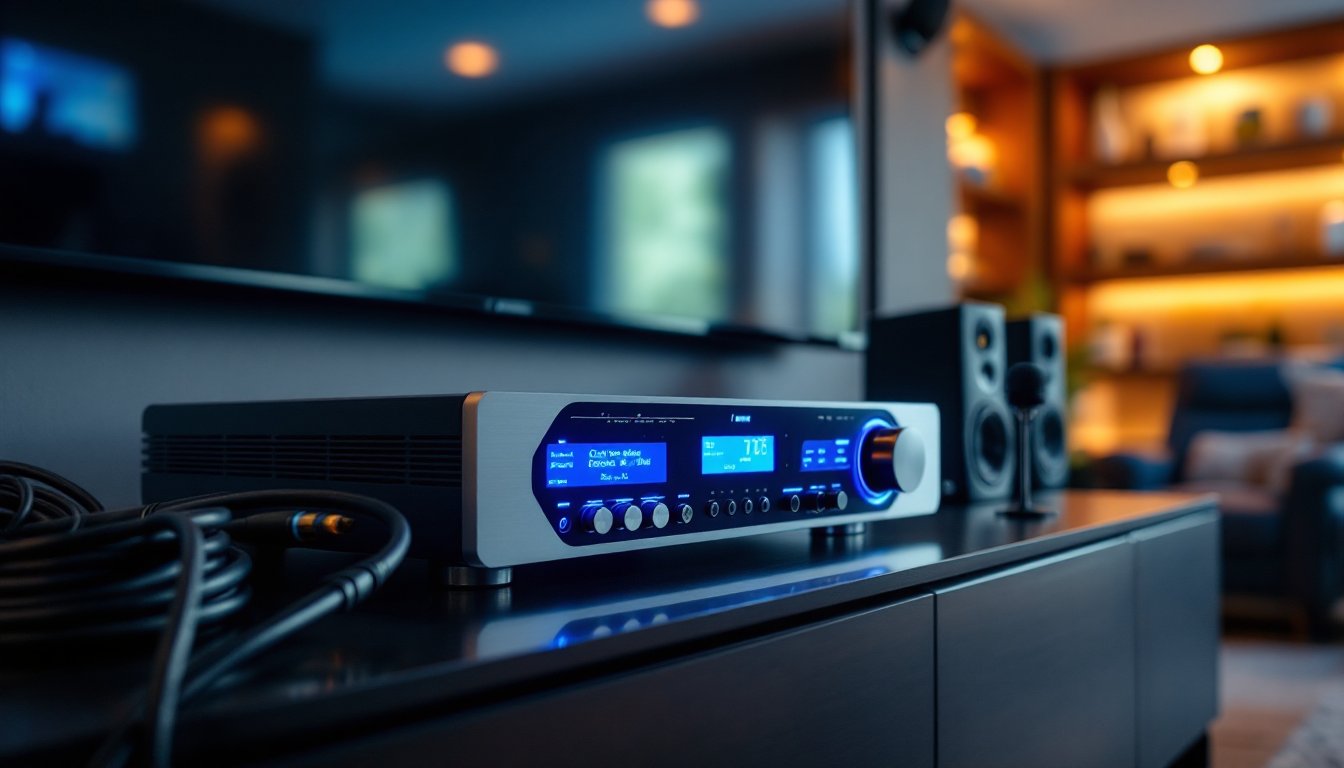
A home theater preamp (or preamplifier) sits between your source devices, Blu-ray players, streaming boxes, cable boxes, turntables, and your power amplifiers or powered speakers. It does two main jobs: it switches between input sources and amplifies weak audio signals to line level, so your power amp can take over and drive your speakers.
Think of it like the traffic controller of your home theater. Without a preamp, you’d have to manually swap cables every time you wanted to switch from your TV to your turntable, and you’d have no volume control. Most modern preamps also handle video switching, onboard decoding of surround formats like Dolby Atmos and DTS:X, and room correction to tune your audio to your actual space instead of a perfect laboratory.
You technically don’t need a dedicated preamp if you use an AV receiver, receivers include a preamp section built in. But if you’re running separates (dedicated amplifiers, each handling one or more speakers), or if you want more flexibility and superior sound, a standalone preamp gives you cleaner signal paths and often better-quality components. For any serious home theater setup, a quality preamp is your foundation.
Key Features to Look For in a Quality Preamp
HDMI and Audio Connectivity Options
Modern preamps should have at least three to five HDMI inputs to handle your TV, streaming box, Blu-ray player, and gaming console without constantly swapping cables. Check that the preamp supports HDCP 2.2 (High-bandwidth Digital Content Protection) if you’re playing 4K content from services like Netflix or physical media. Without HDCP support, the preamp won’t pass the copy protection signal, and you’ll get a black screen on protected content.
Beyond HDMI, you’ll want analog RCA inputs for older gear, turntables, CD players, or vintage components, plus optical and coaxial digital inputs for devices that don’t have HDMI. Some preamps include balanced XLR inputs (the three-pin connectors), which reject electrical noise better than unbalanced RCA in longer cable runs. If you’re running your system with short cables in a compact space, RCA is fine: for longer runs or noise-prone environments, balanced connections are worth considering.
Output-wise, most preamps have RCA and XLR outputs to your amplifier. Some also include subwoofer outputs with their own level control, which simplifies bass management.
Room Correction and Calibration Capabilities
Audyssey, Dirac Live, and YPAO are three popular room correction systems. These use a calibration microphone to measure your room’s acoustics and automatically adjust frequency response, delay, and speaker distances to compensate for wall reflections, hard surfaces, and furniture absorption. Room correction is a major quality-of-life feature, it’ll tighten your bass, clarify vocals, and flatten the overall sound far better than guessing at manual settings.
When evaluating a preamp, look for one that includes a calibration microphone in the box and doesn’t require a separate purchase. Also confirm it stores multiple calibration profiles so you can dial in settings for different listening positions or room layouts.
Budget-Friendly vs. Premium Preamp Options
Entry-level preamps in the $300–$700 range handle basic switching, HDMI 2.0 (sufficient for 4K at 60Hz), and standard surround decoding. They typically skip advanced room correction or include a simplified version. These work well if you’re running passive speakers with a good power amp and don’t need the latest surround formats.
Mid-range preamps ($700–$1,500) are where you’ll find the sweet spot for most DIY setups. They include full HDMI 2.1 support (future-proofing for 8K), robust room correction like Audyssey or Dirac, better-quality analog stages, and more input flexibility. Brands like Denon, Yamaha, and Onkyo dominate this tier, and reviews consistently rate them for reliability and sound quality.
Premium preamps and AV receivers (over $1,500) add audiophile-grade components, more processing power for advanced spatial audio, customizable EQ, and often better-quality power supply designs that reduce hum and distortion. If you’re investing in high-end speakers and amplifiers, a premium preamp makes sense to preserve that investment’s sound quality.
Don’t confuse a preamp with a full AV receiver. Some websites reviewing best AV receivers of 2026 actually recommend models that bundle the preamp and power amp, which simplifies setup but gives you less flexibility later. If you already have quality amplifiers, a standalone preamp is your better choice.
How to Install and Set Up Your Preamp
Installation is straightforward if you follow a logical order. First, make sure all equipment is powered off. Connect your source devices (TV, Blu-ray, streaming box) to the preamp’s HDMI inputs, then run the preamp’s HDMI output to your TV so you can see the preamp’s menu.
Next, connect your power amplifiers or active speakers to the preamp’s RCA or XLR outputs. If your setup includes a subwoofer, use a dedicated subwoofer output if your preamp has one, this keeps the main speakers running full-range while the sub handles bass, which prevents muddiness and improves clarity.
Critical step: set the preamp’s input labels. Most preamps ship with generic labels (Input 1, Input 2). Rename them to match your devices (Blu-ray, Apple TV, Cable Box) so you’re not guessing which input is which during setup.
Run the calibration microphone setup according to the manual. Place the mic at ear level where you’ll sit during movies, and let the preamp analyze the room. This usually takes 5–10 minutes. Some systems let you run multiple measurements at different listening positions and create a blended profile.
Manually set speaker distances and levels if the calibration doesn’t nail it. Most preamps display on-screen menus for this. You’re aiming for 75 dB at your listening position when running test tones, a sound level meter app on your phone works fine for this. Once calibrated, resist tweaking constantly: live with the settings for a week before making adjustments.
For advanced setups, consult the best home theater receiver options for 2026 to see how expert installers configure similar systems. It gives you real-world reference points instead of just the manual’s instructions.
Conclusion
A quality preamp is the foundation of a home theater that sounds right and works reliably. Focus on HDMI and connectivity options that match your gear, pick one with room correction built in, and be honest about your budget, a mid-range preamp often outperforms cheap gear while costing a fraction of premium separates. Take your time on setup and calibration: the sound quality payoff is worth the hour or two it takes.